Table Data Source Using Access Linked Table
There is a bug which does not allow you to use a linked table as a datasource. Linked tables will not show up in the list, but queries that use them will. But if you select one of these queries, an error message similar to the following is displayed:
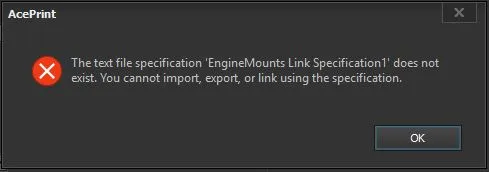
“The text file specification does not exist. You cannot import, export, or link using the specification”
The workaround is to:
-
Make a copy of the database
-
Open the original database, right-click on the linked table and select “Convert to Local Table”
-
Then go back into AcePrint and select the query as normal
-
Finally, delete the original database and rename the copy to the original name
You will now have a working datasource with a linked table query.
Revised: 2016-10-13
Copied!