Row Source XML Viewer
Double-click a row, press Enter while a row is selected, or use View > Row Source… to open the XML Viewer for that row. The viewer shows the raw data stored in the file for the selected application.
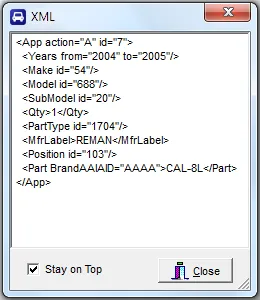
You can leave this window open (move it off the grid if you like) and it will update automatically as you navigate from one record to another.
The Stay on Top option guarantees that the window will not be covered up by the main form.
If an id code is not found in the connected VCdb or PCdb, it is surrounded by angle brackets — for example,
<345>. This usually means you’ve opened an ACES file built against a newer database than the one currently
connected. See AAIA Vehicle Tables.
Revised: 2026-04-30
Copied!