AceViewer 3.2 Updates
AceViewer 3.2 New Features
We are happy to announce a new release of AceViewer with several great improvements explained below.
⚠️NOTE: This will be the last free upgrade for current license holders, so please update today. Future releases will require an upgrade fee.
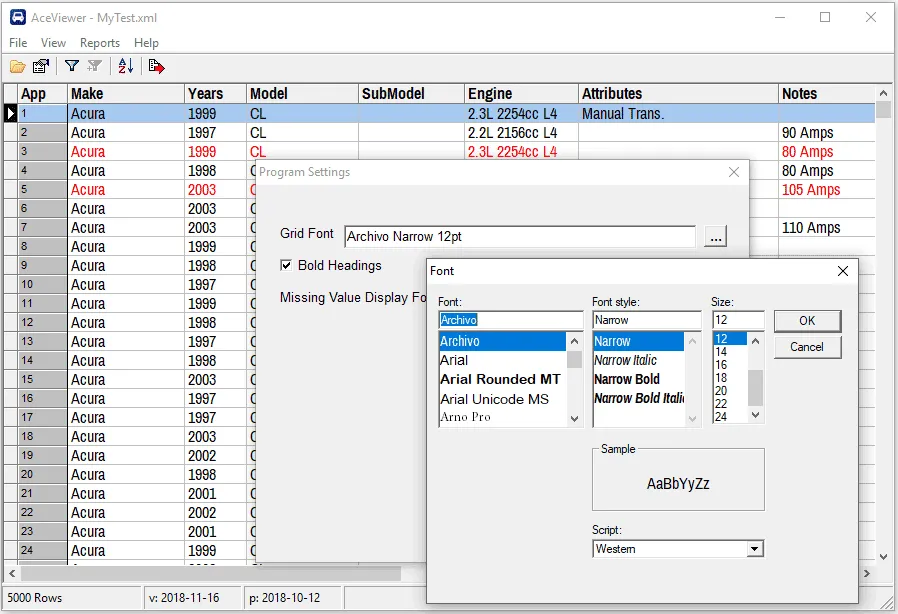
Change Font Used In the Grid
There is a new “Settings” screen that allows you to set the grid font and size. This is particularly useful for high resolution displays where 8pt Arial just doesn’t cut it anymore.
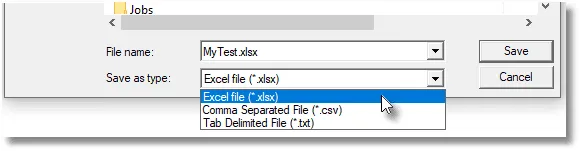
Export Grid to Excel .xlsx format You can now export the grid to Excel xsxl format (in addition to the existing comma and tab-delimited file formats). As in the grid display, “D” (deleted) applications will be shown in red. Excel has a limit of ,048,576 rows, so use one of the two text export formats for files over that size.
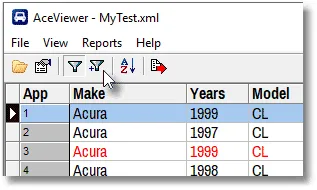
One last thing. While we’ve always had the ability to add additional filter conditions, it was buried in the View menu. Now you can use the new icon in the toolbar to execute this feature.
Thank you for your feedback.
As always, we’re happy to help with any problems you might have or entertain feature requests for future releases.