Collation Conflicts
If you get an error similar to:
Cannot resolve the collation conflict between 'Latin1_General_CI_AS' and 'SQL_Latin1_General_P1_CI_AS" in the equal to operation
It’s probably related to the collation settings on the database.
In SQL Server Management Studio, select the AceMapper right click on the AceMapper database. The General tab should look like this:
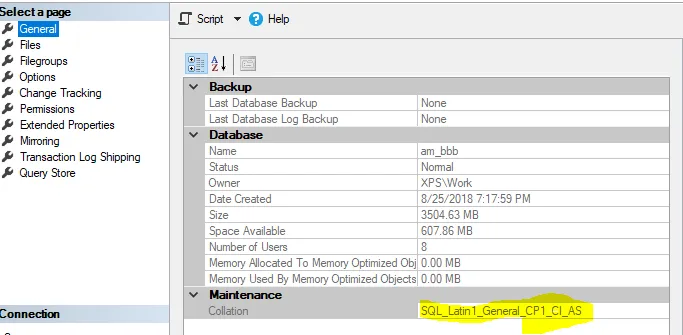
Yours probably has “Latin_General_CI_AS” as the collation instead of “SQL_Latin1_General_CP1_CI_AS”.
To change the collation run this:
USE master;
GO
ALTER DATABASE AceMapper COLLATE SQL_Latin1_General_CP1_CI_AS;
GO
Revised: 2018-08-31
Copied!