Market Copy Segment
There is a separate Market Copy Maintenance screen to load market copy and their digital assets (accessed by Maintain > Market Copy…).
Each market copy must be given a unique name, a “Type” (e.g. AAIA Brand) and a “Reference” (e.g. BBBB for the brand code the market copy is referencing).
On the Add/Edit Document screen the user can then select by name the Market Copy to include in the document.
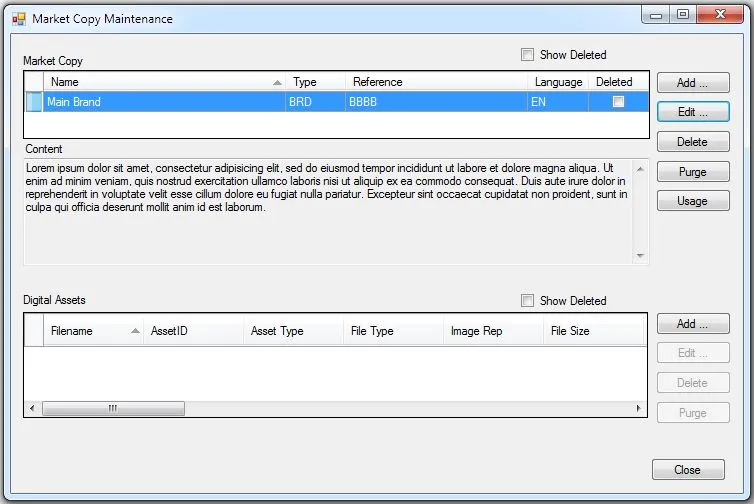
The “Delete” function adds a delete record in the history table so the net change output will include the delete.
“Purge” deletes the market copy and all of its history.
A delete can be undone. If you check to show deleted and select a deleted market copy, the delete button changes to Undelete.
Revised: 2024-08-02
Copied!