Creating Static Web Product Pages
Basic Concepts
PIESCentral supports the creation of static html pages which could be used as detailed product pages. By “static” we mean the html files are created in batch, all at one time for loading on a web site. This is as opposed to “dynamic pages” which would be created by a database query each time they are requested by a user through some web lookup application.
HTML Page Templates
Each product page is built using a single boilerplate using html and special variable “placeholders” to be filled in by the program when the pages are created. Since these template files use standard html, any web designer should be comfortable creating or modifying these boilerplate files.
Placeholders are identified by a leading and trailing percent sign (%). Here is an example of a snippet of html using a placeholder:
<div id="header-container">
    <div id="partnumber">
        %PART_NUMBER%
    </div>
</div>
HTML Placeholders
Any placeholders used in a boilerplate file must also be defined in PIESCentral so the program knows what value to use for the replacement. You use the Maintain > HTML Placeholders… menu to define these placeholders.
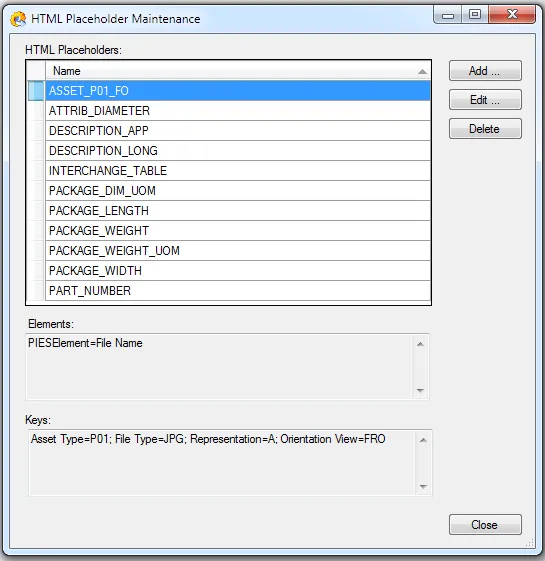
The maintenance screen contains a list of placeholder names (in alphabetical order) which have been defined for use in the html template files. These placeholders must be created one at a time. Initially, this screen will be empty.
To create a new placeholder, press the Add… button. Here is an example of a Placeholder defined to reference the “Part Number” PIES element:
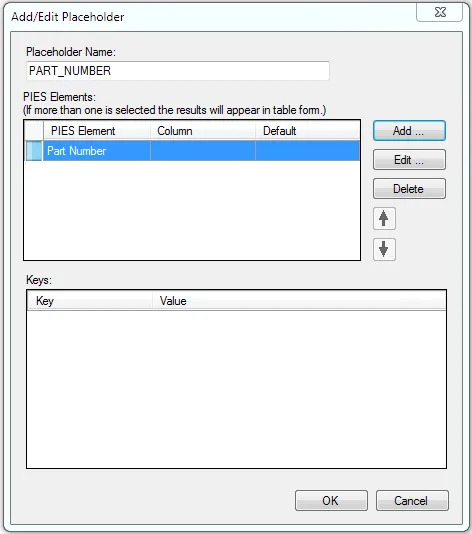
Note that each placeholder definition is identified by a unique “Placeholder Name” (the convention is to make it all upper case with underbars for spaces) and then the corresponding PIES element that you want to associate with that name.
If you include more than one PIES element, you are defining a table. Here is an example of a table definition along with sample output:
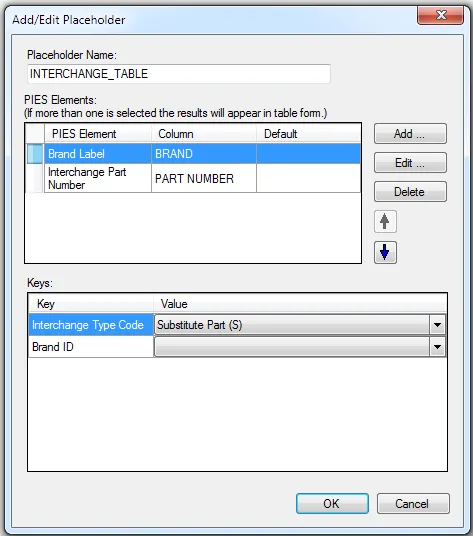
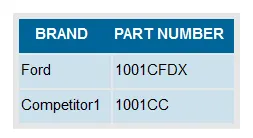
It is a good practice to include the word “TABLE” in the placeholder name (e.g. INTERCHANGE_TABLE) when defining a table placeholder.
If you leave out a key, it will include all values. Think of a key as a filter to limit the data that is displayed.
Also, if you are defining a table, you should always include a Column name for each element to be used for the heading.
Here is an example of the usage of the placeholder for a table:
<div id="indented-container">
    %INTERCHANGE_TABLE%
</div>
And the resulting html created by PIESCentral:
 <div id="indented-container">
   <table>
    <tr><th>Brand</th><th>Part Number</th></tr>
    <tr><td>Ford</td><td>1001CFDX</td></tr>
    <tr><td>Competitor1</td><td>1001CC</td></tr>
   </table>
 </div>
Use standard css to style the table elements such as table, th, tr, td.
Publishing Product Pages
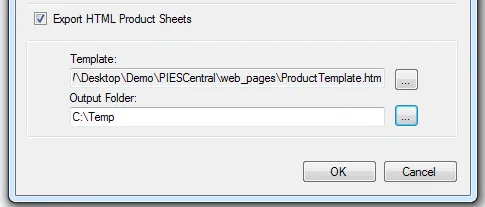
To create the static product pages, use the standard PIESCentral publishing procedure. On the Publish Export Options page, fill in the options such as the following: