Source Links
If you have more than one Source defined or a Source contains more than one table or worksheet that you need, you must define how they will be linked together.
To create a new Source Link, right click on Source Links in the project tree and press Add.
Create a Name that describes the relationship. For example, “Item_Description” for a relationship that links the Item table with the Description table.
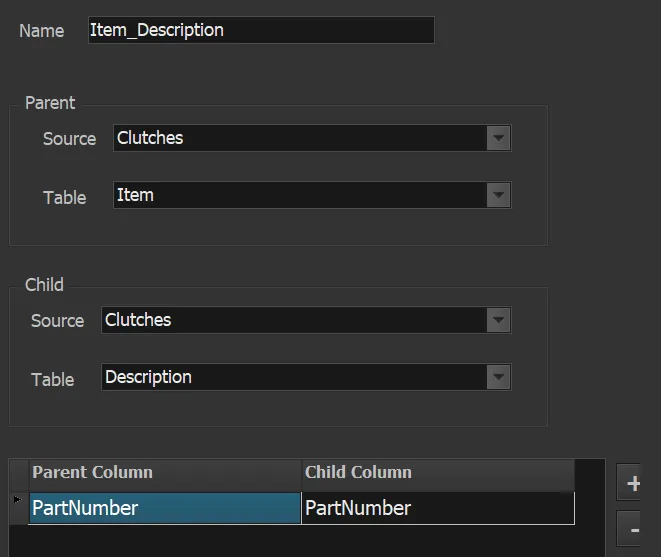
This describes a relationship between two tables in an Access (or Excel) file. The Table for an Excel file refers to a worksheet.
Press the Plus (+) button to add a link field. Here (as in most cases) they refer to a common Part Number column in both the Item and Description tables.
Revised: 2023-05-17
Copied!