Engine Mapping using Engine Formats
Engines are special because they have different pieces (e.g. cyl, liters, etc.). Since the engine string can be formatted different ways, you need to tell it how to interpret the engine string. You do that for each “Document” on the Engine mapping screen using the “Define formats” screen.
Steps:
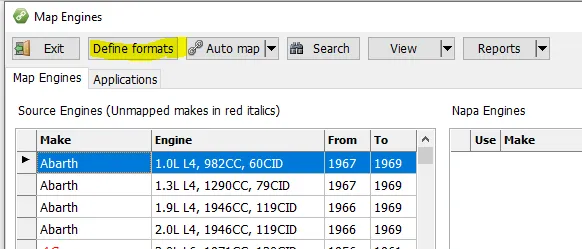
- Select an engine with a format you haven’t already defined and press the “Define formats” button:
- Press the Plus sign to add a new format (using the selected engine as a guide):

- Select a portion of the engine string and indicate what it is. For example:
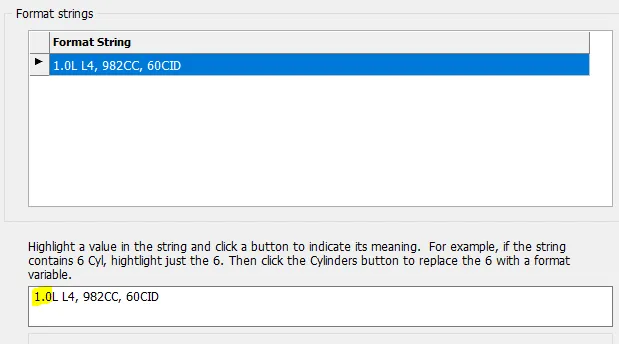
Highlight 1.0 and then press “Liters” button. It should look like this:
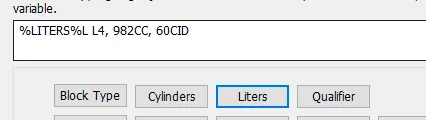
Notice that it substituted %LITERS% for the 1.0. Be careful to only select the variable portion (not the CC, CID, etc).
Do that for each of the pieces. It should look like this when finished:

Press OK to keep that format.
Do that for all of the different engine formats you find in your data. There are usually only 3 or 4.
Now the Auto Map function can use these formats to match engines (understanding, however, that the individual pieces must match exactly, for example 1099cc would not match 1100cc).