Consolidating Applications (Removing Redundant Conditions)
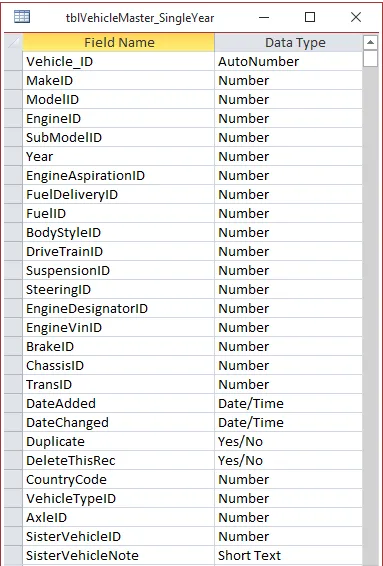
NAPA provides a vehicle configuration table (“tblVehicleMaster_SingleYear”) which defines valid combinations of Make/Model/Year/Engine and special “conditions” (such as SubModel, BodyStyle and DriveTrain).
ProMapper uses this table when creating valid PartsPro applications from your source applications on the Map Applications screen (using the Helper Maps).
But just because an application is “valid” does not mean that it is “optimal”. It’s a common problem to include conditions which are not necessary for selecting the correct part. Including these “redundant” conditions is often called “over-mapping” by the Industry.
To help remove over-mapping, ProMapper includes the ability to consolidate applications based on SubModel, BodyStyle or DriveTrain.
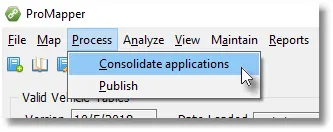
The consolidation process will look for a set of applications that are identical except for the “target condition”, and see if it can drop that condition and merge the applications.
For example, if you have a set of applications that are identical except for Submodel, and all the Submodels in the vehicle table are covered (taking into consideration all other conditions on the application), it drops the Submodel and merges those applications. The same analysis can be performed for Drive Type and Body Style.
The order in which you try to consolidate may matter in some cases. You might have an application with both submodels and body styles where either could be sufficient to define the application. If you remove body style first, submodel can’t be removed.
The consolidation process uses NAPA vehicle configurations as defined in the tblVehicleMaster_SingleYear table:
The following dialog screen is used to control the process.
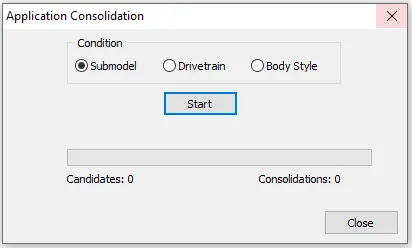
To complete this process, select one of the “Conditions” and press the “Start” button. It is possible that repeating the process will remove additional redundancies.