Thumb Tabs
It is common to include an index along the fore edge of a catalog to indicate major sections of the book. These thumb indexes (often called “thumb tabs”) are usually reversed type and must bleed off the edge so they will always show from the side when trimmed (notice the trim marks below)
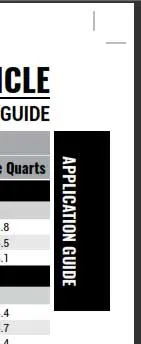
To create this feature, use something like the following layout definitions: (TIP: If you have trouble seeing the images, drag to your desktop and double click on it). You may need to tweak these settings based on your page margins.
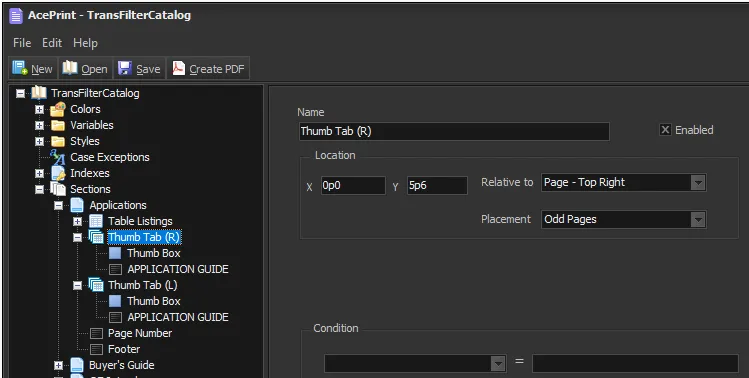
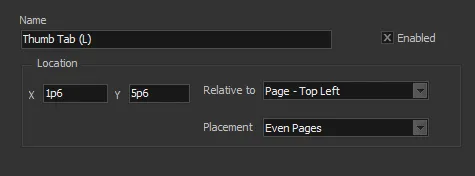
Notice we created two “Layer Groups”, one for the Right (Odd Pages) and another for the Left (Even Pages). This is optional since some designs only want to include tabs on the right pages.
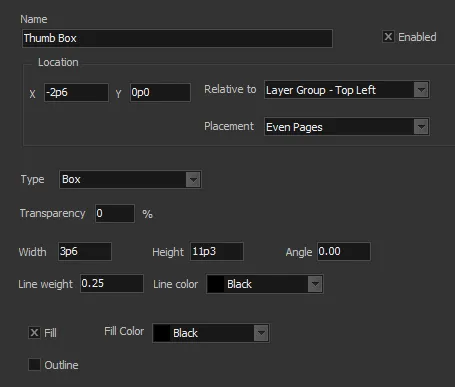
We then created two sub-elements relative to the Layer Group. (We use two elements instead of a simple Text Box because we want to have the box bleed off the page and placement becomes easier). The first element defines the Box:
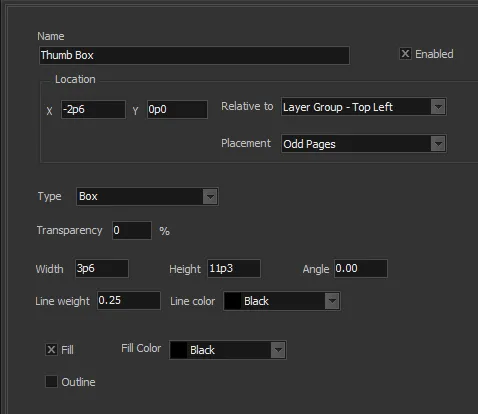
The 3p6 “Width” will allow a 1p0 bleed. (Here we included a Line weight, but it is not strictly necessary because we used a “Fill”. But it is common to include ALL section tabs on each page, but only fill the current one. This makes that easy to copy the Layer Group to other sections and just turn off the Fill, but still have the border.)
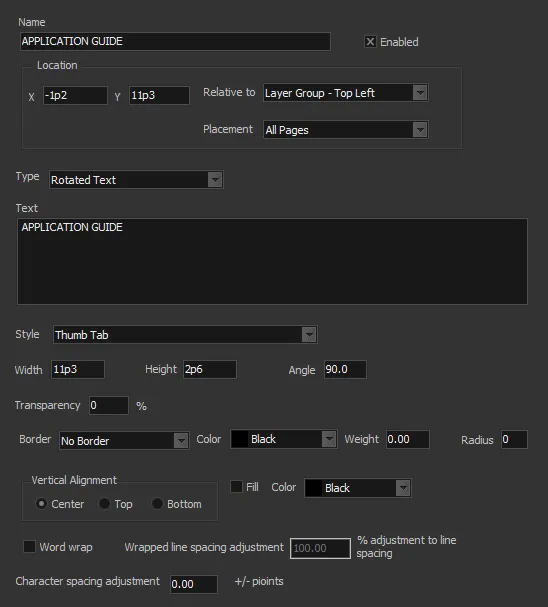
Finally, we include the Thumb Text within the Thumb Box.
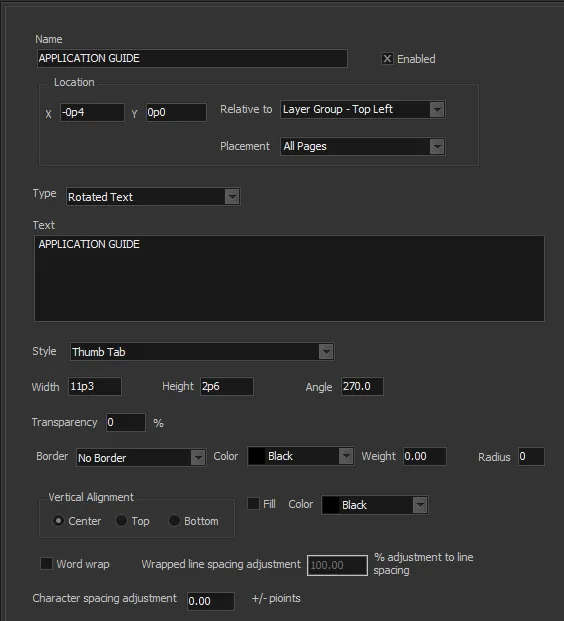
The “Thumb Tab” Style in this case requires a “White” color or it would not show up in the black box.
The Left page style is very similar.