Filtering Applications
Use View > Filter to temporarily limit the applications shown in the grid to only those that contain the substring you enter for a column. Use View > Add a Filter to further limit the list by another column.
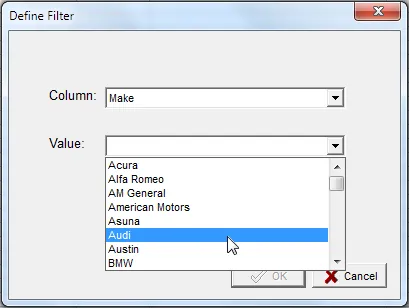
Pressing the Value drop-down loads all the current data values for the selected column. This may take some time. You can also type directly into the Value box or edit one of the existing entries.
The filter does not need to match the entire value in the field. For example, entering bolt for the Notes
column will match every application that has “bolt” anywhere in the Notes.
Active filters affect the Export Grid and Part Usage Report functions — only applications visible in the grid are included in the output.
Revised: 2026-04-30
Copied!