How to Create a Package Level GTIN from UPC
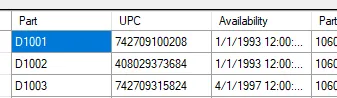
Given a 12 digit UPC in your source data:
You can create a User Defined Column like the following. It shows setting up a “0” level (EA) package level GTIN:
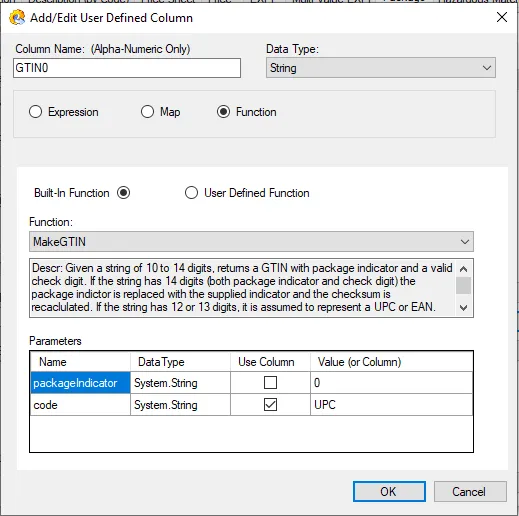
Descr: Given a string of 10 to 14 digits, returns a GTIN with package indicator and a valid check digit. If the string has 14 digits (both package indicator and check digit) the package indictor is replaced with the supplied indicator and the checksum is recalculated. If the string has 12 or 13 digits, it is assumed to represent a UPC or EAN. The package indicator is added and the check digit is updated.
Parameters: 1) A single digit package indicator. 2) A string of from 10 to 14 digits representing the code to change
Return: string
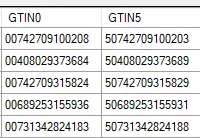
Once the User Defined Column is created, you could use the View option to see how it put two leading zeros on the UPC:

Not very exciting because the check digit is the same, but if you used a “5”, for example, for the case level, you would get this (notice the new last digit, which is a check digit):