Mapping Life Cycle Descriptions
Q: I have a “Life Cycle Code” in my data, but not the description of that code. For some reason my customer wants both. Is there an easy way to do that by using the Life Cycle Lookup entries.
A: You probably tried something like this, right?
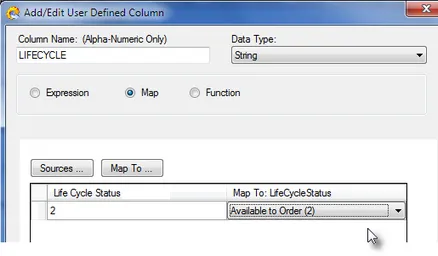
This will not work. You’d just get the “Code” for the LIFECYCLE user defined column.
This is because maps to lookup tables always return the code. The reason the map returns the code and not the description is that the code is normally what PIES wants.
There are two cases where a description is available along with the code: Pop Code and Life Cycle status code. (We aren’t sure why they also included the description since it is redundant, but they did).
The purpose of the map function is to translate from your internal code to the correct PIES code.
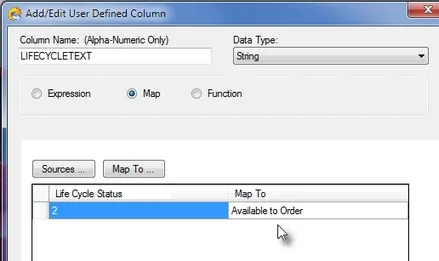
The easiest way to get the description is be to simply map the source codes to the descriptions by typing the descriptions directly into the map (without using the Map To… option. Something like this: