Item Segments
“Item” segments manage mapping for all PIES segments driven by part number. “Item” is required and so automatically added.
To add additional item segments, right-click on the “Item Segments” container and press the “Add segment” button (note: you must have a Source defined first):
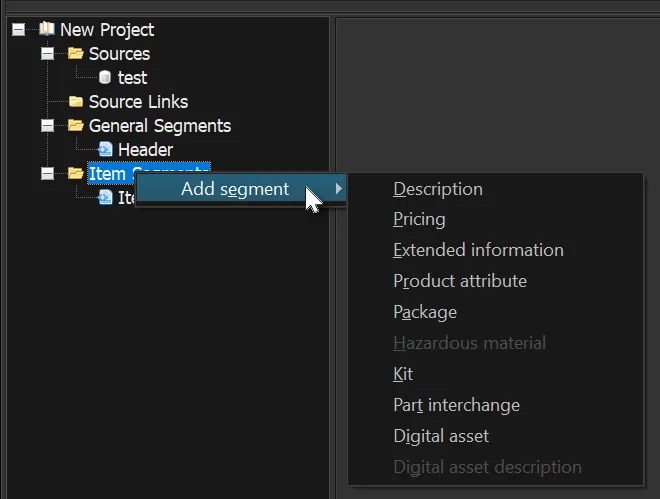
Then select the desired segment you want to add (such as “Description”).
There are a few segments which depend on other segments being defined first. You can see above that “Digital asset descriptions” cannot be added before the “Digital asset” segment.
To remove a segment (except for the required Header and Item segments), right-click and press Delete.
Once a segment has been added, you will be presented with that segment’s mapping screen.
Revised: 2023-05-17
Copied!