General Work Flow
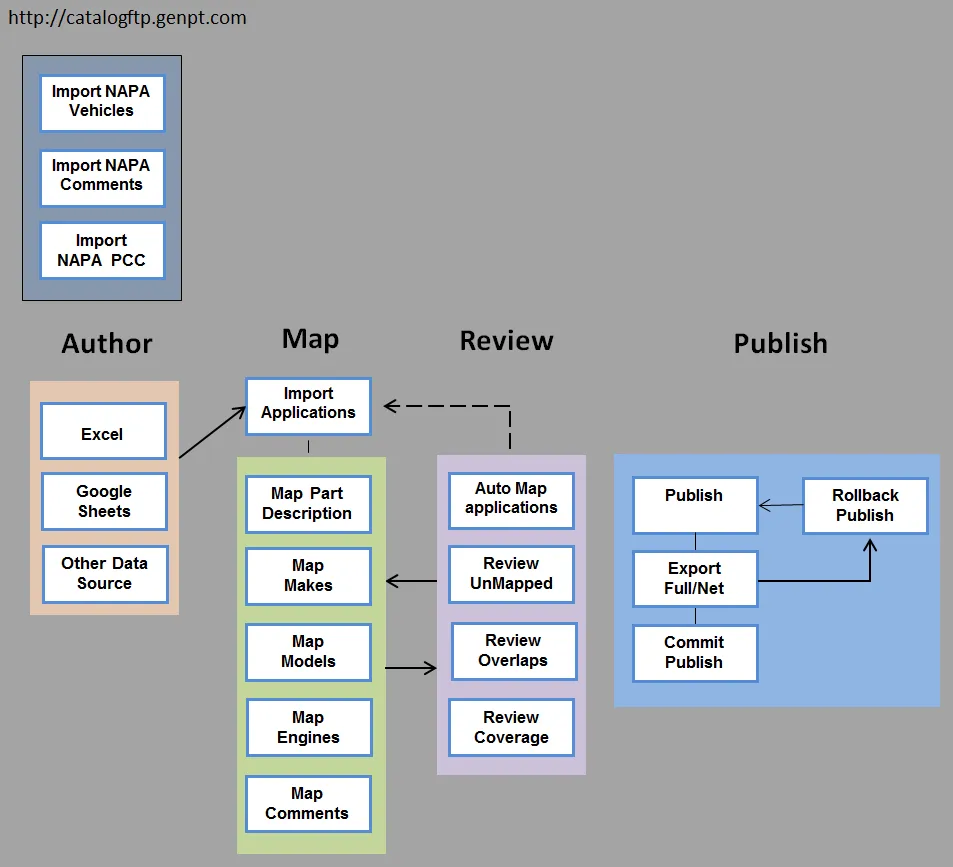
Here is the overall procedure used to generate an PartsPRO file.
-
Update from NAPA Catalog Portal each month before mapping
-
File > Open Document, and File > Import Applications (always from full source file)
-
Review and handle both unmapped and unchecked views for: Makes, Models, Engines, Comments and Part Descriptions
-
Map > Applications… and then Auto Map
-
View > Show Unmapped and review
-
Correct maps and/or source data, and repeat
-
Publish (see Publish-Export-Commit Article)
Revised: 2017-03-30
Copied!