It is not auto-mapping, should I map it manually?
It is very rare (if ever) that you’d need or want to manually map at the “application” level.
As a rule, you should always modify the underlying helper maps and then “Auto map” Applications. (You can also press the + (with a checkmark) to see if it would map and then cancel it. You might need to press the trash can if multiple maps were created).
If it is not mapping, there are two reasons:
-
Your source data references a vehicle configuration that is not available in NAPA’s table
-
You helper maps need to be adjusted to allow the map.
You can check what NAPA has in their vehicle table using the View > NAPA Vehicles (or the car icon). It might be, for example, that another engine needs to be added to a map. If you see that there is no valid NAPA vehicle, ctrl-R will mark it as reviewed (so you don’t keep checking it).
You can right-click on an application and quickly go to the underlying helper map:
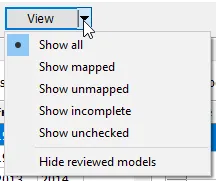
If you’d like, you could Show unmapped and then File > Export to an Excel file for further offline review.