Viewing Headers
View > Headers… displays a dialog showing the Header and Footer values included in the file. This is a read-only screen — AceViewer does not allow you to change any data. The form is resizable and adjusts automatically to show more content.
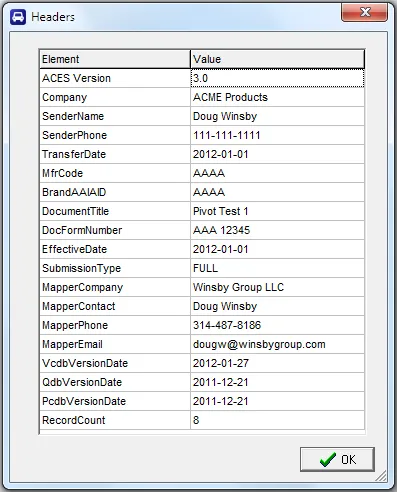
⚠️NOTE: If a MfrCode is included in the header and looks like an AAIA Brand Code, it will be used as
one. This matters when you later configure a Pivot Report, since
those reports require branded ACES files.
Revised: 2026-04-30
Copied!